Secure AI agent authentication with cryptographic verification. Create authenticated agents, download private keys, and verify tokens to prevent bad actors.
Nuggets gives your AI Agent a secure way to prove it is not a bad actor.
Demo
See an example of Nuggets authentication integrated with Google’s A2A protocol
demo.
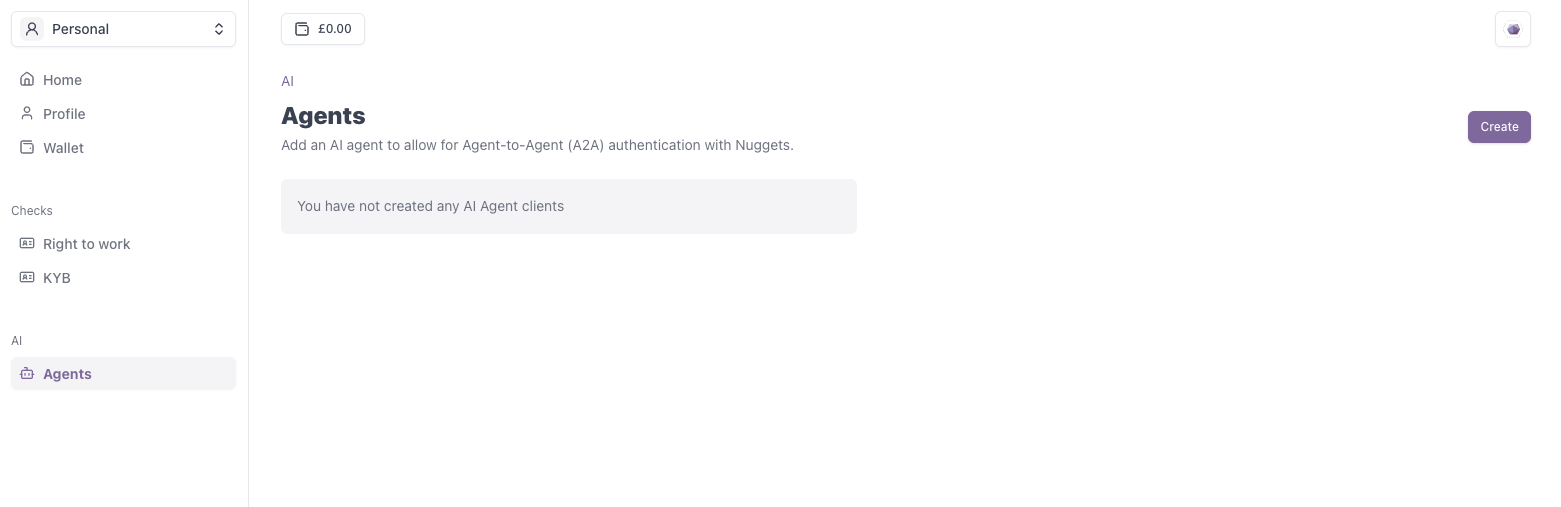
Go to the Nuggets Account Portal and navigate to the AI Agents page to create your first agent.
AI Agent - Menu Item
2
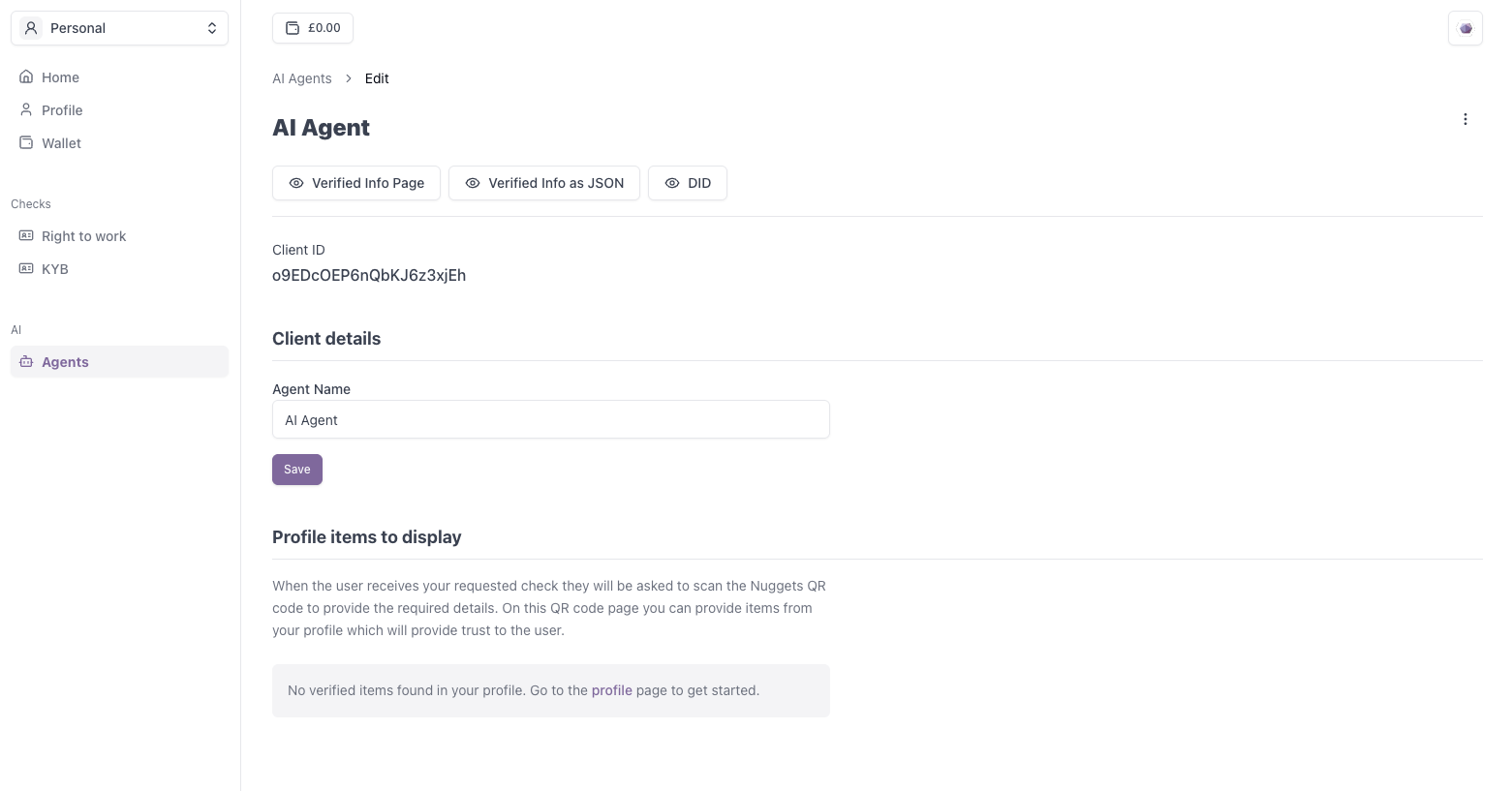
Download Private Key and Save Client ID
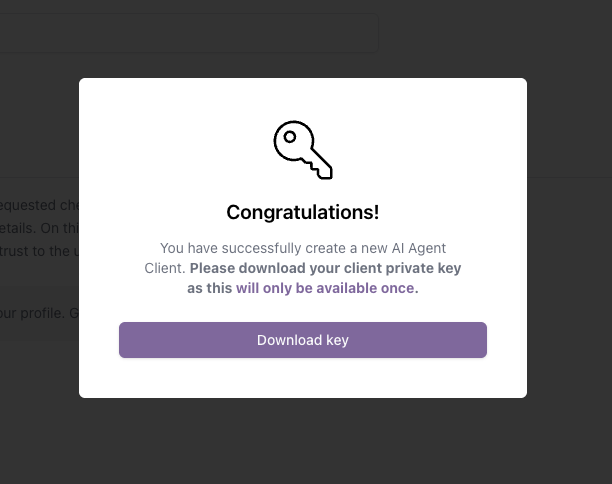
Once created, you will be prompted to download the private key for this client. It is important you save this file.
This key is only available once and is needed to successfully authenticate your AI Agent.
AI Agent - Private Key Download
3
(Optional) Add Verified Information
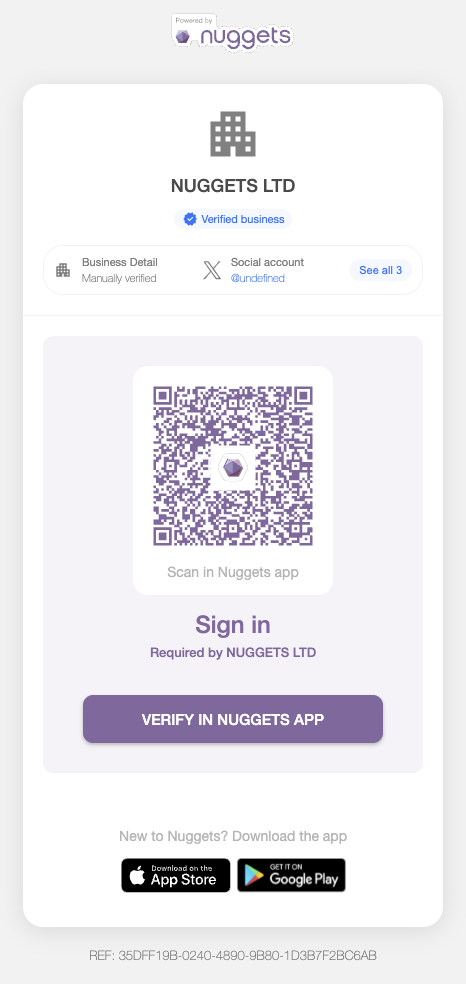
Within Nuggets, you can build greater trust by adding verified information—such as a validated social media account for either the AI Agent or its creator.
2. Expose an authentication endpoint on the Agent.
Expose an endpoint on your agent which allows for the JWT token to be generated (via createAuthenticationToken). Under the hood, this uses your downloaded private key and assigns the DID to the payload.
Create the authentication token on the agent (express example).
// # Agentimport type { Request, Response } from "express";import { createAuthenticationToken } from "@nuggetslife/auth/ai";app.get("/authenticate", async (req: Request, response: Response) => { const token = await createAuthenticationToken(); res.send(token);});
Once the requesting server receives the token, you are then able to verify it using the verifyToken function. If successful, this will return the DID Document for the client. If unsuccessful, the agent is potentially a bad actor.
You can get the details from your clients DID Document by extracting the
client ID from your DID and navigating to` `
https://auth.nuggets.life/{CLIENT_ID}/.well-known/did.json
Authenticate the agents token.
import { verifyToken } from "@nuggetslife/auth/ai";function getTokenFromAgent() { return fetch("AGENT_URL/authenticate").then((res) => res.json());}export async function authenticate() { try { const token = await getTokenFromAgent(); const { did } = await verifyToken(token); } catch (error) { console.error("Error verifying the token"); }}
Once a successful connection is made, you’re then able to retrieve more information about the agent via the verifiedDetails call. This calls the services that are returned as part of the client’s DID Document.
You can get the verified information about your client by extracting the
client ID from your DID and navigating to` `
https://auth.nuggets.life/verified-info/{CLIENT_ID}/json
Get Verified Information
import { getVerifiedDetails } from "@nuggetslife/auth/ai";export async function authenticate() { try { const token = await getTokenFromAgent(); const { did } = await verifyToken(token); const verifiedDetails = await verifiedDetails(did); } catch (error) { console.error("Error verifying the token"); }}
On your agent, start by creating an authentication endpoint that your server can call. This endpoint should return a JWT containing the DID, signed with your private key.
Once the server receives the JWT from the agent’s authentication endpoint, it must decode and verify it using the DID provided in the token.
1
Extract the DID from the JWT
The JWT payload should include a sub or custom claim containing the agent’s
DID:did:web:auth.nuggets.life:CLIENT_ID
2
Resolve the DID Document
To verify the JWT, the server must resolve the DID to retrieve the associated public key.For did:web, the DID translates to a standard HTTPS URL. Replace : with / after did:web: and append /did.json. For example:did:web:auth.nuggets.life:CLIENT_ID → https://auth.nuggets.life/CLIENT_ID/did.json
3
Verify the JWT
Use the public key found in the verificationMethod section of the DID
Document to verify the JWT’s signature. If successful your AI Agent will be
authenticated
Once you’ve successfully authenticated the agent and verified the JWT, you’ll have access to the agent’s valid DID Document.Using the service field in this document, you can retrieve additional information provided by the agent. This may include:
Ownership details
Verified social media accounts
Other relevant metadata
This allows your application to build a richer, more trustworthy profile of the agent.
Assistant
Responses are generated using AI and may contain mistakes.